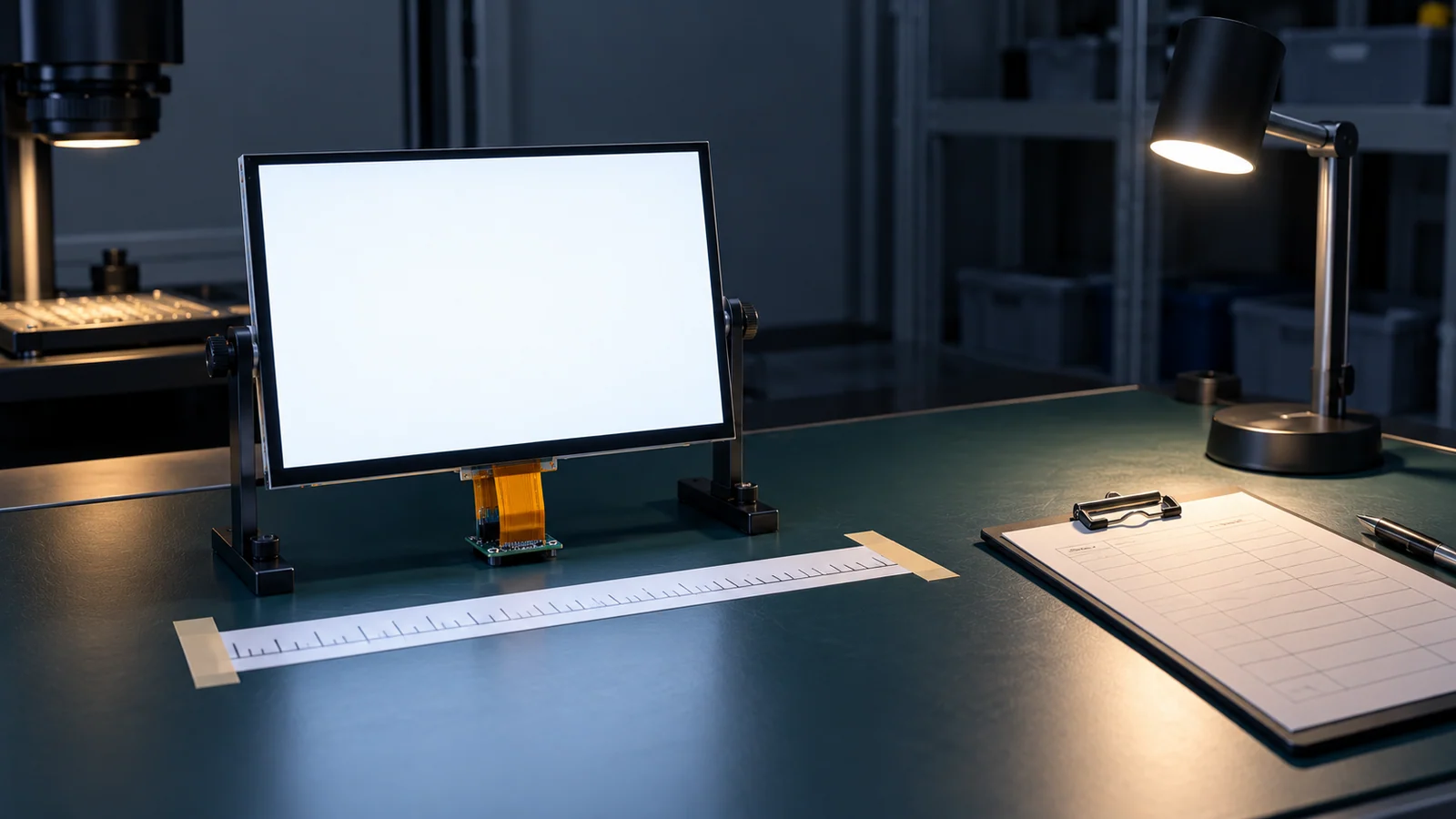
Pixel defects are a normal topic in display purchasing, and also a common source of friction. A buyer sees a bright dot on a black screen in a dark room and calls it a failure. The supplier checks the same module under room light on a gray image and calls it acceptable. Both are applying a criterion, just not the same one. Writing the conditions down before the order turns an argument into a measurement.
This guide covers the pixel-defect part only. For the whole path from first sample to production approval, see the sample validation checklist. For what TFTWorks publishes about quality and inspection, see the factory and quality page. This guide does not describe any TFTWorks inspection standard.
Agree what is being judged
Start with vocabulary. A bright dot is a pixel or sub-pixel that is always lit, and a dark dot is one that is always off. A defect can involve a whole pixel or a single sub-pixel, and two faulty sub-pixels next to each other can produce a mixed color. Whether single sub-pixels, whole pixels and adjacent faults are counted separately is a choice the document has to make.
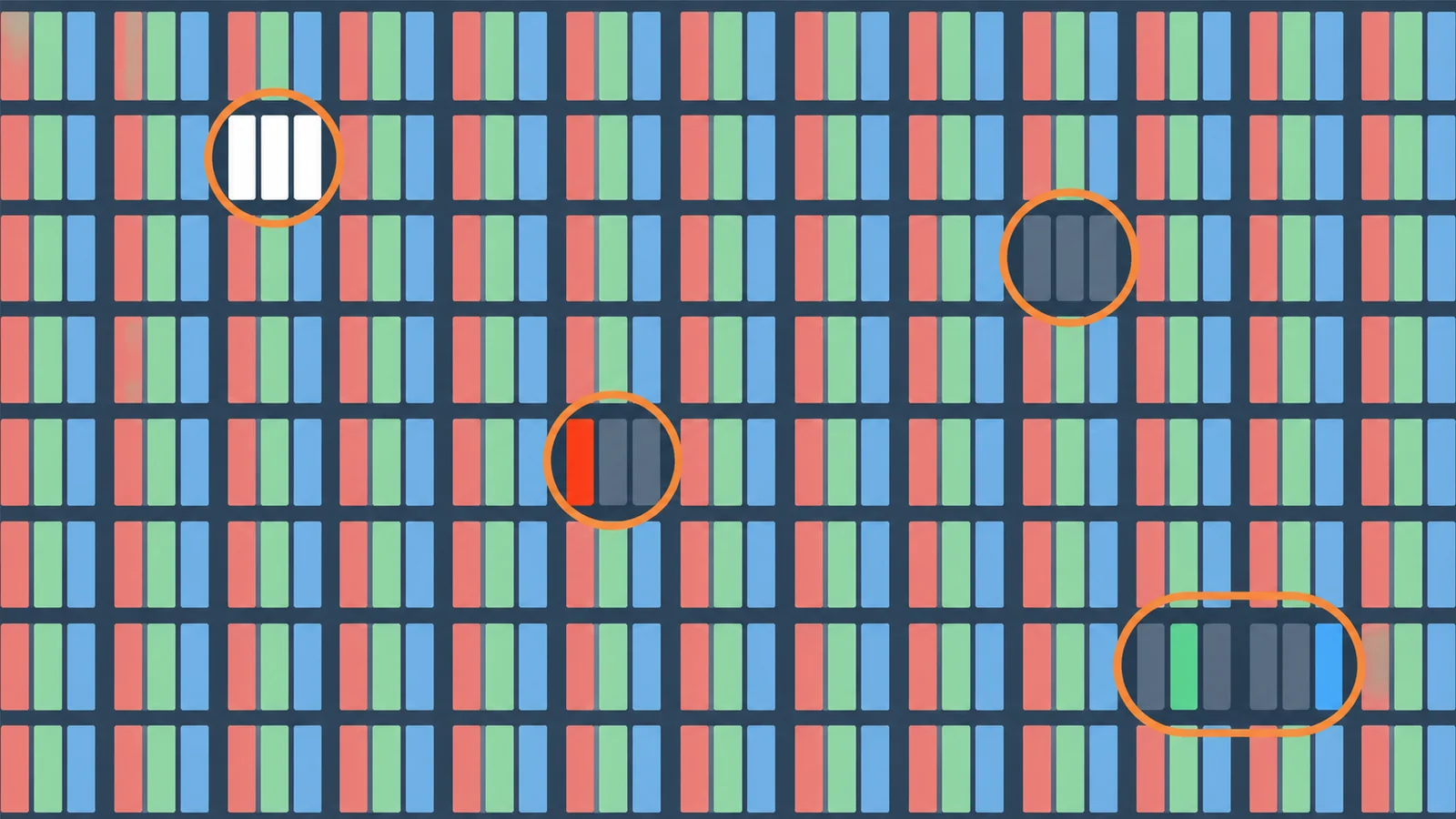
| Object | What it is | Decide |
|---|---|---|
| Bright dot | A pixel or sub-pixel that stays lit whatever the image | Count whole pixels and single sub-pixels separately or together |
| Dark dot | A pixel or sub-pixel that stays off | Same question; bright and dark may carry different limits |
| Stuck sub-pixel | One color element fixed on or off, which shifts the color of the pixel | Whether it is counted as a bright or dark dot or in its own class |
| Adjacent or clustered defects | Two or more faults close together | The distance below which they are treated as one group |
| Intermittent pixel | A pixel that changes with temperature, time or image | Whether and under which condition it is judged |
Equally important is what is not in this clause. Scratches, foreign particles, bubbles, uneven brightness, light leakage and defects in a cover glass or touch layer are different issues and need their own criteria. Trying to cover everything in one pixel clause is how clauses become impossible to apply.
External policies are not a substitute for the document. Consumer brands publish their own policies, and standards bodies publish test methods. ISO 9241-307:2008 is the ISO standard on analysis and compliance test methods for electronic visual displays; the ISO page lists the withdrawn ISO 13406-2:2001 among its predecessors. Some suppliers refer to ISO classes. Whether any such class applies to your order depends on what you and the supplier approve, so do not assume that a class or a brand's policy applies to you.
Write down the test image, light, distance and time
The same module can appear different under different inspection conditions. Dell's own published policy evaluates visible pixel/subpixel issues in relation to normal viewing distance, illustrating why the observation method matters. That manufacturer-specific policy is not a TFTWorks module criterion. List every condition that changes what an inspector sees:
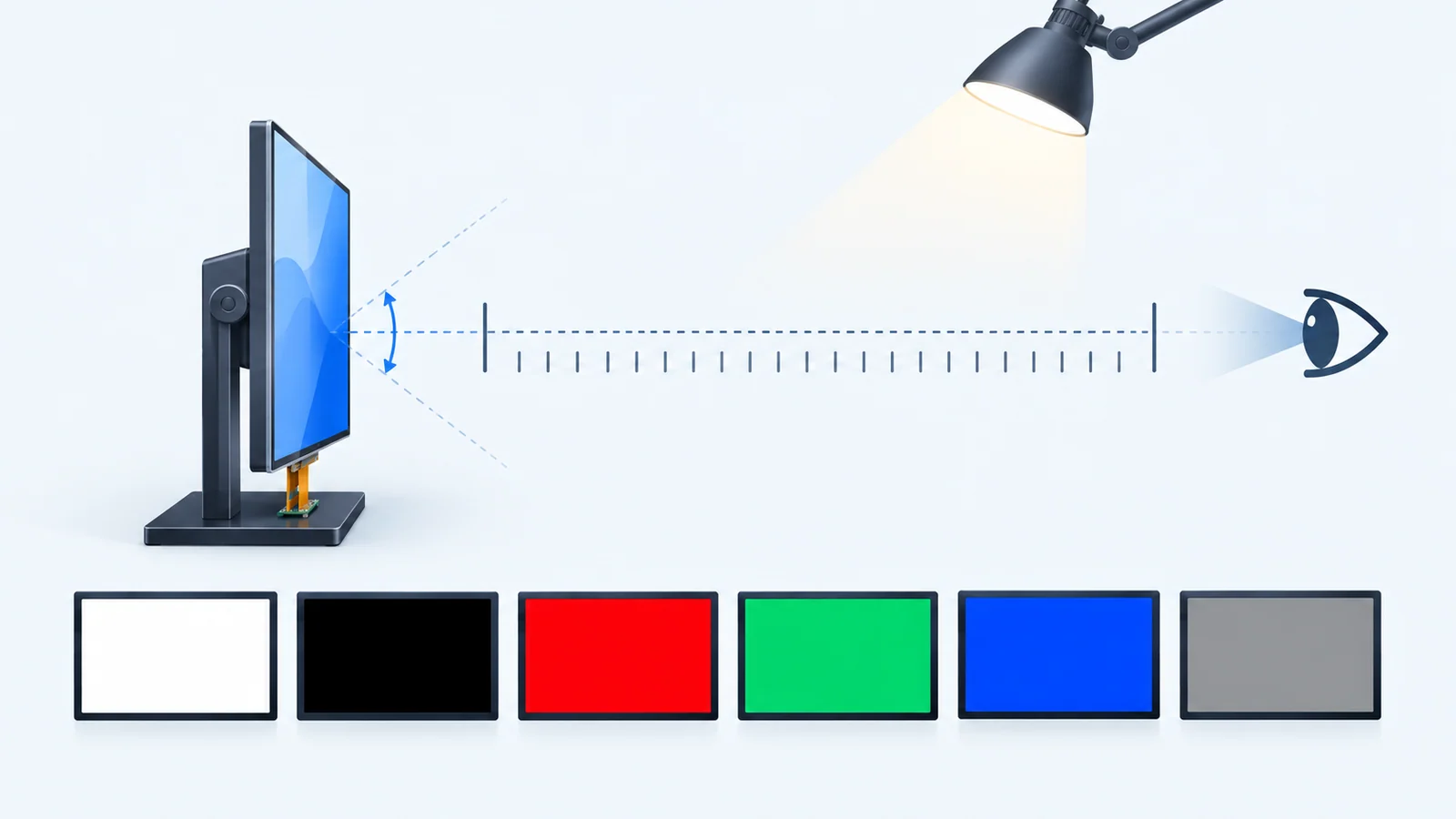
| Condition | Why it matters | Field to write |
|---|---|---|
| Test images | Bright dots are easiest to see on a black image and dark dots on a white one; sub-pixel faults show on single-color images | Which images, in which order, at which gray levels |
| Backlight setting | A brighter backlight can make faults more or less visible | Brightness level or driving condition during inspection |
| Ambient light | A dark room and a lit room give different results | Illumination condition, including the lamp type if relevant |
| Viewing distance and angle | A fault visible at close range may be invisible at the working distance | Distance and angle, and whether they follow the product's real use |
| Inspection time | Longer observation finds more faults | Time per image or per screen |
| Inspector or instrument | Eyes vary, and cameras see differently from people | Who inspects, how they are trained, whether a camera or a magnifier is allowed |
| Warm-up and temperature | Some faults can depend on whether the module is warm or cold | Warm-up time and ambient temperature |
| Configuration inspected | A cover glass, touch sensor or bonding changes visibility and can add faults | Bare module, assembly with cover glass, or final product |
Choose the conditions to match how the product is really used, then keep them the same for sample approval, incoming inspection and any later dispute. If the product is read in a dim cabin at arm's length, an inspection at three times that distance in a bright room answers a different question. When the front stack matters, read the optical bonding guide and state which configuration is judged.
Define zones and spacing
A fault covering a critical status indicator may matter differently from one hidden by an approved viewing window. Critical content is not necessarily in the center. A project may therefore define application-specific zones, but an edge must not automatically be treated as unimportant. Whether to do so, and where the boundaries lie, is a decision for the document. Three fields cover it:
- Zone definition. How the active area is divided, if at all, and how it relates to the viewing window in your enclosure and the approved drawing.
- Count per zone. What is permitted in each zone, for each defect type.
- Spacing. The distance rule that separates isolated faults from clusters.
Leave the numbers to the approved document, and write them in the same units the inspection uses, such as pixels, millimeters or a fraction of the screen height.
Define records and disagreement handling
A criterion is only useful if the result can be checked afterward. Decide what is recorded each time a module is inspected:
- Module model and suffix, lot or date code and serial number, so the record ties to a specific unit and to the version approved.
- Inspection date and the person or instrument that inspected.
- The conditions actually used, against the conditions in the document.
- A defect map or a marked photograph showing position and type.
- The decision and the document revision it was made against.
Plan for disagreement before it happens. Say how a disputed unit is re-inspected, for example under the same conditions by both parties together, whether a limit sample or reference unit is used and how it is kept, what happens to units on which the parties still disagree and the time window in which a finding can be raised. Tie everything to a document revision, and put that revision in the order and in the sample approval record, so that a later change to the criterion is a documented change like any other.
A blank acceptance field table
| Field | Entry to be agreed | Document and revision |
|---|---|---|
| Applies to (model, suffix, configuration) | ||
| Defect objects counted | ||
| Objects excluded and where they are covered | ||
| Test images and gray levels | ||
| Backlight setting | ||
| Ambient light condition | ||
| Viewing distance and angle | ||
| Inspection time | ||
| Inspector, aids and training | ||
| Warm-up and temperature | ||
| Zones and counts per zone | ||
| Spacing rule | ||
| Record format and retention | ||
| Limit sample or reference unit | ||
| Disagreement and re-inspection process | ||
| Time window for raising a finding |
Questions to ask the supplier
- Is there an approved appearance inspection document for this model, and what is its revision?
- Which defect objects does it cover, and which are handled elsewhere?
- Under what test images, lighting, distance and time are modules judged?
- Is inspection done on the bare module or on the finished assembly with cover glass or touch?
- Are limit samples available, and how are they kept?
- What records are kept for each lot, and can they be shared?
- How are disagreements handled, and what time window applies?
- Can my approved criterion be referenced in the order, and what happens if it changes?
Send the model, the final user interface, the appearance criterion you expect and the inspection documents you need through a project review. For the datasheet fields that sit beside it, read how to read a TFT LCD datasheet.
Pixel defect FAQ
How many dead pixels are acceptable on a TFT LCD?
There is no universal number. The acceptable count depends on the screen size and resolution, the application and what the buyer and supplier agree in writing. Consumer brand policies and ISO classes exist, but they do not automatically apply to your order. Ask for the limits in an approved document and agree them before you place the order.
What is the difference between a bright dot and a dark dot?
A bright dot is a pixel or sub-pixel that stays lit whatever the image, and a dark dot is one that stays off. Bright dots tend to stand out on dark images and dark dots on bright ones, so the test images you agree to use affect what is seen.
Are scratches, particles and mura counted as pixel defects?
Not normally. Pixel defects concern individual pixels or sub-pixels that are stuck on or off. Scratches, foreign particles, bubbles, uneven brightness and similar cosmetic or optical issues need their own criteria, so do not try to cover them in the pixel clause.
Should inspection be done on the bare module or the finished assembly?
State it in the document. A cover glass, touch sensor or bonding changes how defects look and can add its own, so the result on a bare module is not automatically the result on a finished assembly. Record which configuration was inspected.
Technical references
- ISO — ISO 9241-307:2008, Analysis and compliance test methods for electronic visual displays: the ISO reference for test methods, with its scope and its list of withdrawn predecessors.
- Dell — Display Pixel Guidelines: manufacturer definitions of pixel/subpixel defects and observation context. Its counts, warranty terms and inspection distances are not applied to TFTWorks modules.
Carry the criterion into sample and change approval
Keep the appearance criterion with the exact LCD, touch and cover configuration; a bare-screen inspection does not release a bonded assembly. When the criterion or component revision changes, use the PCN and revision-control record.
For a trace left by static content, use the separate image-retention test plan. Before classifying an apparent defect, use the software integration checklist to identify the source image, mapping and software baseline.
Send Us Your Inspection Requirements
Share the model, the final user interface, the appearance criterion you expect and the inspection documents you need. TFTWorks can review what it publishes about quality and inspection against your requirement and tell you what needs confirming.
Request a Project Review See the quality documentation scope
Send supporting files with the same project reference
The web form does not upload attachments. Email drawings, configuration records or test requirements
You can also send files through WhatsApp. Include the same model and project reference as your enquiry.
Publisher and scope. Published by TFTWorks, operated by Guangdong Dexing Microelectronics Co., Ltd. This guide offers a general method for agreeing pixel-defect acceptance. It states no allowed defect count, no AQL and no defect rate, and it is not a TFTWorks inspection standard. Other brands' policies and ISO classes are not TFTWorks policy. Confirm the criterion for your model against the current model-specific documents and approve it in writing.