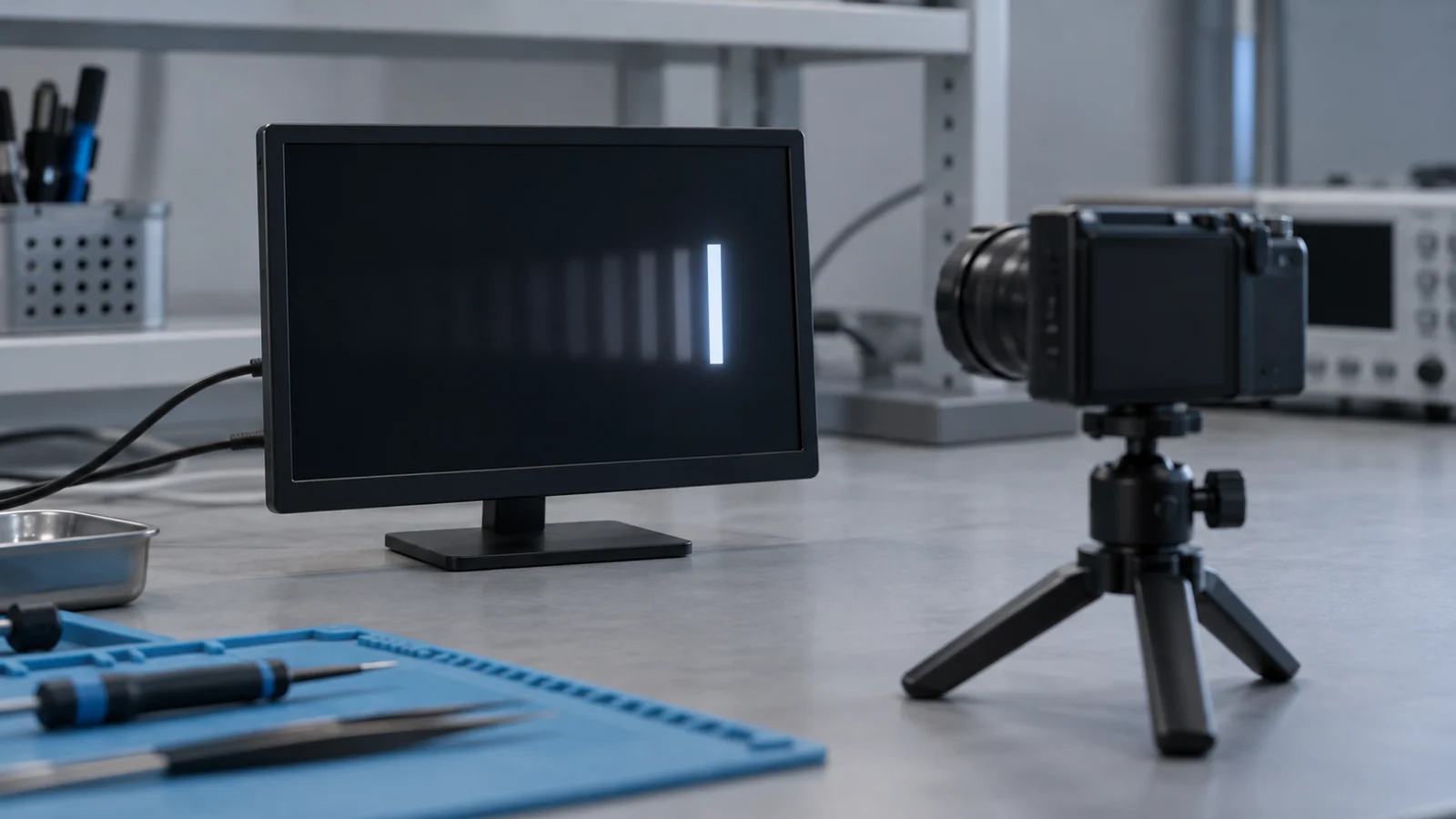
A product that looked fine in the office can look smeared in use: a scrolling trace on an instrument, a needle sweeping across a gauge, a menu that animates, a camera view that pans. The first question is whether the problem exists on the display, in the host software, or only on the photograph used to report it.
This guide separates the causes and gives a test that tells them apart. Retention of a static image is its own topic, covered in the static HMI image retention test, and is only compared here. The numbers below use assumed values so the arithmetic is visible. They are not measurements of any module.
Four things people call ghosting
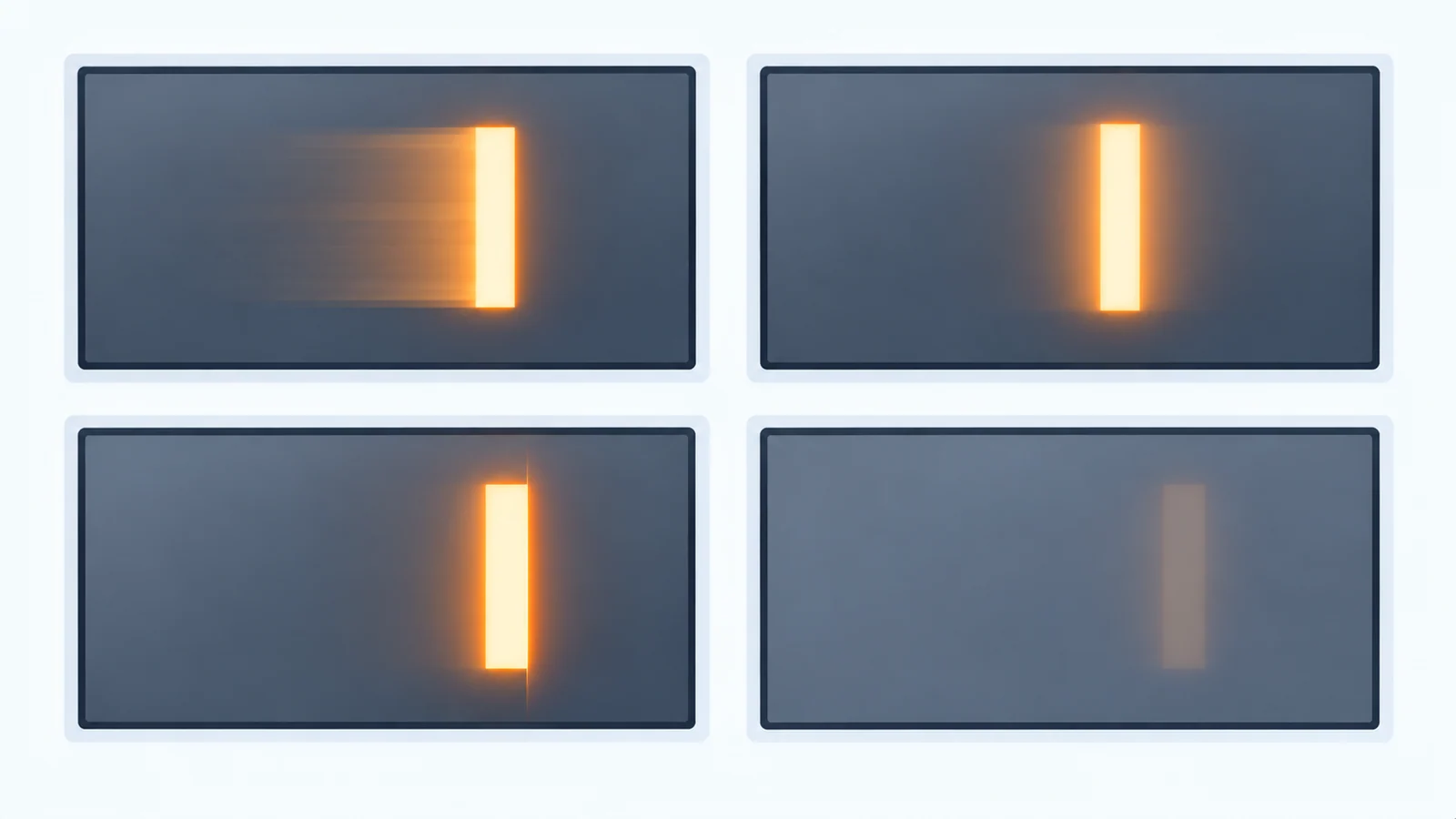
| Artifact | What you see | Cause | Does a higher refresh rate help? | First test |
|---|---|---|---|---|
| Pixel-response trail (ghosting) | A smear on the trailing edge of a moving object, often stronger for some gray transitions than others | Pixels change at different speeds in different directions | Only if the pixels are fast enough to keep up | Move a bar between two gray levels and compare leading and trailing edges |
| Held-frame blur (sample-and-hold) | Blur on a moving object you follow with your eyes, on both edges, even if pixels were instant | Each frame stays lit for the whole period while the eye moves smoothly | Yes, in proportion, if the content is delivered at that rate and pixel response keeps up | Follow the bar with your eyes, then watch it while looking at one fixed point |
| Overdrive overshoot (inverse ghosting) | A bright or dark fringe ahead of or around a moving object | Response-time compensation drives a pixel past its target before it settles | It can change the best overdrive setting, so ask | Look for a fringe of the wrong brightness at the edge of the bar |
| Image retention | A faint copy of an earlier static image on a uniform or different screen | Follows long-standing static content, not motion | No | Stop the motion and show a uniform gray; see the retention test |
| Not the display: dropped or repeated frames | Judder or a stutter that looks like a double image | The host delivers frames unevenly | No | Log frame times in the application |
| Not the display: backlight PWM | Repeated images or banding, mostly at low brightness or on camera | Backlight dimming against eye or camera exposure | No | Repeat at full brightness; see the dimming guide |
Blur Busters' introduction to LCD motion artifacts draws the same line between a trailing artifact caused by uneven pixel transitions, a bright inverse-ghosting fringe from response-time acceleration, and the blur of held frames. It shows them with pursuit-camera photographs, which move with the object. That detail matters for testing: a stationary camera can show some transition artifacts but does not reproduce eye-tracking blur; exposure and camera settings also affect the result.
Response time and refresh rate are different clocks
Refresh rate is how often the display refreshes; the host content rate can be different. Response time is how long a pixel takes to reach the level it was told to show. A datasheet quotes it between stated levels at a stated temperature, so read the row the way the datasheet reading guide describes. TFTCentral, which tests displays, notes that response times are typically quoted as gray-to-gray figures, that the usual threshold is 10% at either end of the transition, and that manufacturer specifications usually refer to the best case. A single number hides how different transitions behave.
The two clocks interact. TFTCentral also notes that as refresh rate rises the demand on response time grows. If a pixel transition takes longer than the frame period, the pixel is still moving toward the previous target when the next frame arrives.
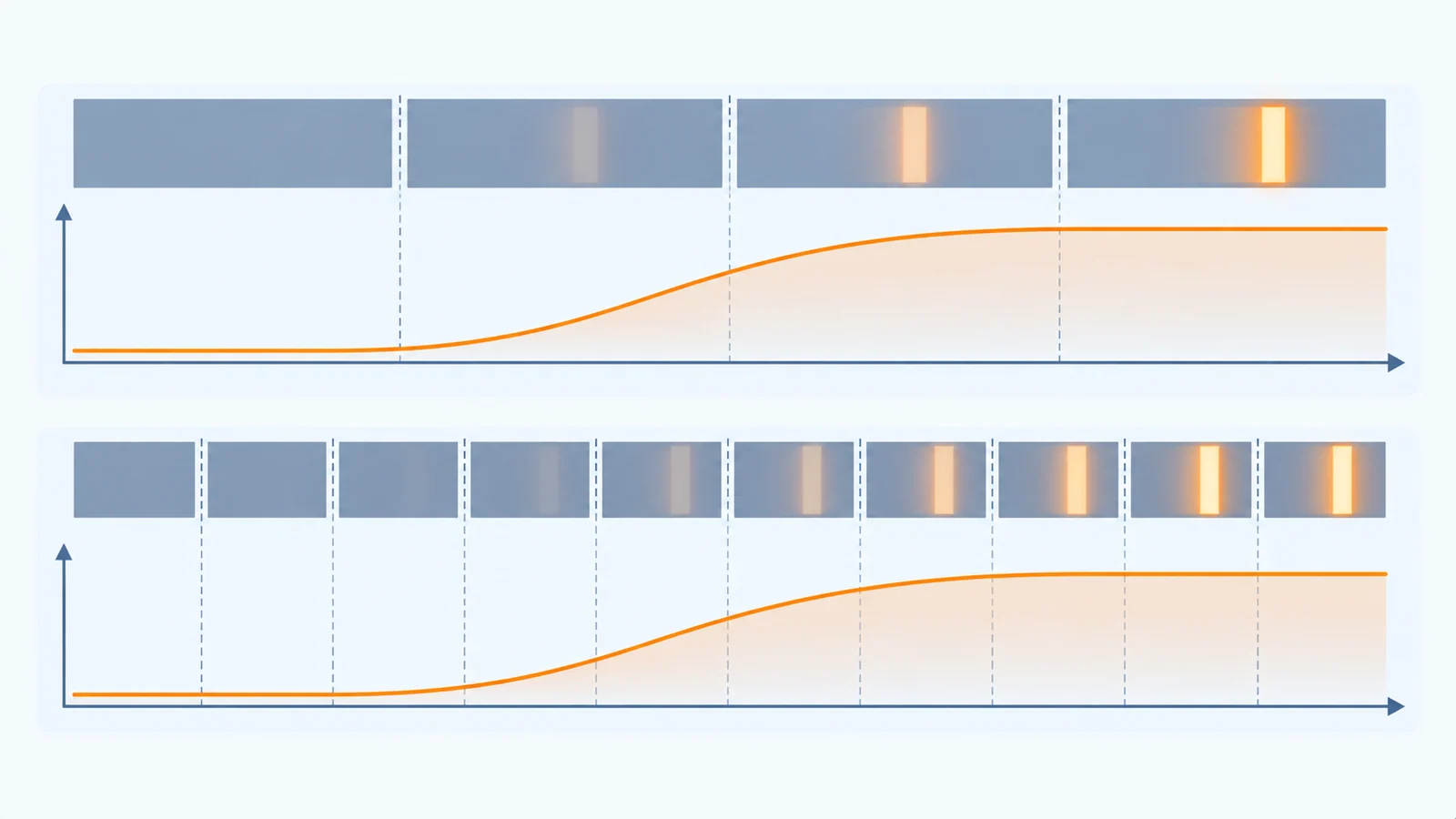
| Refresh rate | Frame period | Assumed transition time | Frames spanned by one transition |
|---|---|---|---|
| 30 Hz | 33.3 ms | 20 ms | About 0.6 |
| 60 Hz | 16.7 ms | 20 ms | About 1.2 |
| 90 Hz | 11.1 ms | 20 ms | About 1.8 |
| 120 Hz | 8.3 ms | 20 ms | About 2.4 |
A faster refresh rate can reduce the held-frame component when new content is supplied at that rate, while slow transitions may still produce a trail. Compare both effects at the actual operating conditions.
Cold makes the response slower
Temperature belongs in the test plan. A display vendor's article on temperature effects reports that very cold environments slow LCD response times, and attributes the effect to the reduced mobility of the liquid crystal molecules. Heaters are named there as one compensation, and extreme-temperature liquid crystal as another that can cost more. The article gives no figures worth copying, so treat it as the reason to measure. A product that ghosts lightly at room temperature can ghost clearly when cold, and a wide operating range on the datasheet says nothing about response at the cold end. For the wider temperature checklist, see the wide-temperature selection guide.
Held-frame blur: the arithmetic
An LCD holds each frame lit until the next one arrives. When the eye follows a moving object, the object stays still on screen during the frame while the eye keeps moving, and the image smears across the retina. Wikipedia's article on display motion blur describes this as persistence blur, separate from slow pixel response, and notes that shortening the time the image is displayed, for example by strobing the backlight, reduces it.
Blur Busters states a simple rule, which it calls Blur Busters Law: 1 ms of persistence gives 1 pixel of motion blur for every 1000 pixels per second of motion. It adds that fast gray-to-gray response does not always mean fast motion-picture response, because they are two different measurements, and that real blur can be worse than the law's figure because pixel response is finite.
For a display that holds each frame for the full period, the persistence equals the frame period. The table applies the rule. The speeds are assumptions: a scrolling trace crossing an 800-pixel-wide screen in 0.8 s moves at 1,000 pixels per second.
| Motion speed | At 60 Hz (16.7 ms held) | At 120 Hz (8.3 ms held) |
|---|---|---|
| 500 px/s | About 8.3 px | About 4.2 px |
| 1,000 px/s | About 16.7 px | About 8.3 px |
| 2,000 px/s | About 33.3 px | About 16.7 px |
Two practical consequences follow. First, this blur appears only when the viewer tracks the moving object. An operator looking at a fixed point may perceive less eye-tracking blur, which is why the same screen can be acceptable to one user and not to another. Second, slower movement or stepped scrolling can change the perceived blur; larger moving elements may improve readability without changing their actual speed. Backlight strobing also reduces persistence, but it lowers brightness and brings PWM artifacts of its own, and this guide does not assume that any listed module offers it.
A test that separates the causes
| Step | Do this | What it tells you |
|---|---|---|
| 1. Stop the motion | Freeze the content and show a uniform gray | A trail that vanishes with motion suggests a motion artifact; a persistent image can suggest retention. Confirm using the retention test |
| 2. Read the shape | Move the bar at several speeds and compare its leading and trailing edges | Trailing, symmetric blur and a bright or dark fringe can suggest different causes, but camera settings and overlapping artifacts can affect the result |
| 3. Change the gray levels | Repeat between a few different pairs of levels, not only black and white | Whether some transitions are much slower than others |
| 4. Change the content rate | Run the same motion at different frame rates with the panel timing fixed | Repeated content frames can change perceived motion blur; compare like-for-like timing and check the panel behavior separately |
| 5. Look two ways | Follow the bar with your eyes, then watch it while fixing your gaze | Compare the two observations as a clue to eye-tracking blur; this alone cannot isolate every artifact |
| 6. Go cold | Repeat at the lowest operating temperature, after the unit has soaked, with the real enclosure | Behavior at the tested temperature and enclosure conditions; it does not establish a universal worst case |
| 7. Rule out the host | Log frame times and check for repeated or dropped frames, and for tearing | Whether the host is the source of the judder |
| 8. Rule out camera and backlight | Judge by eye as well as on camera, and repeat at full brightness | Whether camera exposure or backlight modulation may contribute to the observed artifact |
Acceptance limits are yours to set, because they depend on what the operator has to read and how fast it moves. Write them down before testing, together with the speeds and temperatures, and keep the results in the same record as the rest of the sample evidence. The sample validation checklist shows how to freeze the configuration so the test can be repeated. Test equipment with scrolling traces is a typical case; see the test and measurement application page.
A motion test record
| Item | What to record | Your entry |
|---|---|---|
| Sample | Module model and suffix, panel type and sample identifier | |
| Host and software | Host, refresh rate, frame-rate of the content and firmware version | |
| Test pattern | Bar width, gray levels used and speed in pixels per second | |
| Observation method | By eye, tracking or fixed gaze, and camera type and settings if used | |
| Conditions | Temperature, brightness setting and ambient light | |
| Artifact observed | Trail, even blur, fringe, retained image or judder, with where it appears | |
| Acceptance limit | The limit your project defined before testing | |
| Result and owner | Pass or fail, who decided and what changed afterwards |
Questions to ask the supplier
- How is response time specified for this model: between which levels, with which threshold, and at what temperature?
- What is the response at the lowest operating temperature, and how was it measured?
- What panel type and driver does the module use, and are there limits on the supported refresh rates?
- Does the module apply overdrive or response-time compensation, and is it tuned for a particular refresh rate?
- Is any backlight modulation or strobing available, and what does it do to brightness?
- Can a sample be provided for a motion test at your content speed and temperature range?
Send these answers with the content you display, its speed, the refresh rate, the temperature range and the candidate model through a project review, so the motion behavior is checked against a real configuration.
Motion ghosting FAQ
What is the difference between response time and refresh rate on a TFT LCD?
Refresh rate is how often the display refreshes; the host content rate can be different. Response time is how long a pixel takes to reach the level it was told to show, and it is quoted between stated levels at a stated temperature. They are separate clocks: a display can accept 120 new frames per second and still have pixels that need longer than one frame to settle.
Does a higher refresh rate fix LCD ghosting?
Not by itself. A higher refresh rate can shorten the hold time for new content when it is supplied at that rate, reducing some eye-tracking blur, but it does not make the liquid crystal move faster. If the pixel transition is longer than the frame period, the trail remains. The two effects have to be tested separately.
Is ghosting the same as image retention?
No. Motion ghosting is associated with changing content and generally subsides once the transition finishes. Image retention is a faint copy of an earlier static image that remains visible on a different or uniform screen after the content has changed. A static retention test and a moving-bar test answer different questions.
Why does my display ghost more in the cold?
Display vendors report that very cold environments slow LCD response, because the liquid crystal reacts more slowly. A slower transition leaves a longer trail behind moving content. Repeat the motion test at the lowest operating temperature you support, after the unit has fully cooled, and compare with the room-temperature result.
Technical references
- Blur Busters — Blur Busters Law: persistence against motion blur, and the difference between gray-to-gray and motion-picture response.
- Blur Busters — LCD Motion Artifacts 101 and LCD Motion Artifacts: Overdrive: ghosting, overshoot and PWM artifacts, shown with pursuit-camera photographs.
- Wikipedia — Display motion blur: persistence blur, pixel response blur and backlight strobing.
- TFTCentral — Response Time Testing: how response time is conventionally measured, overshoot, and the relation to refresh rate.
- Crystalfontz — Demystifying TFT LCD display specifications: a display vendor's definition of response time and its comparison of TN and IPS panels. Check it against the specification sheet of your own panel.
- Focus LCDs — Temperature Consideration for Displays: a display vendor's note on slower response in the cold. Treat it as a reason to test, not as data.
Send Us Your Motion Requirements
Share what moves on the screen and how fast, the refresh rate, the temperature range and the artifact you see. TFTWorks can review the published display information against that configuration.
Request a Project Review Read the sample validation checklist
Send supporting files with the same project reference
The web form does not upload attachments. Email your configuration records and drawings, or send them through WhatsApp.
Publisher and scope. Published by TFTWorks, operated by Guangdong Dexing Microelectronics Co., Ltd. The tables use assumed values and make no claim about the response time, overdrive behavior or refresh rate of any module. The referenced articles come from display testers, a general encyclopedia and a display vendor, and mostly discuss monitors, so confirm every figure against the current model-specific datasheet and your own measurements. Whether a given module offers backlight strobing or response-time compensation is model-specific.